Showing 14053–14064 of 21846 results
-
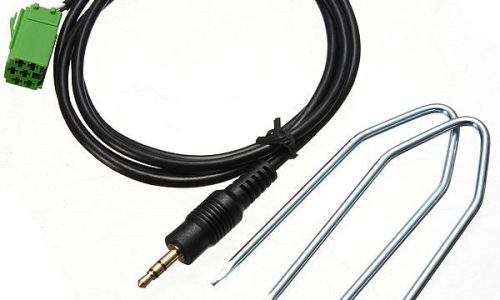
MP3 iPod iPhone Aux Input Adapter for Renault Clio Megane Laguna
$6.39MP3iPodiPhoneAuxInputAdapterforRenaultClioMeganeLagunaFeatures:1.TheadapteronlyworkwithRenaultUpdateListtyperadioswhichhaveanAUXoptionlistedintheupdatemenu.2.MostRenaultshavethistypeofradio,whilejustafewwithaTunerListtypeheadunitwhichthiscablewillnotworkwith.3.TheadaptorcanstillbeusedifyouhaveaCDchangerconnectedtotheradioasitusesadifferentsocket.4.Itworkswithanydevicewitha3.5mmheadphonesocket(egiPod,iPhone,MP3player,mobilephone,gamesconsoleetc).Specification:Quantity:1pcLength:approx1.5mFitment:RenaultClio(models2005to2011)RenaultEspace(models2005to2011)RenaultKangoo(models2005to2011)RenaultLaguna(models2005to2011)RenaultMegane(models2005to2011)RenaultScenic(models2005to2011)RenaultTrafic(models2005to2011)RenaultTwingo(models2005to2011)PackageIncluded:1XAux-input Interface
-
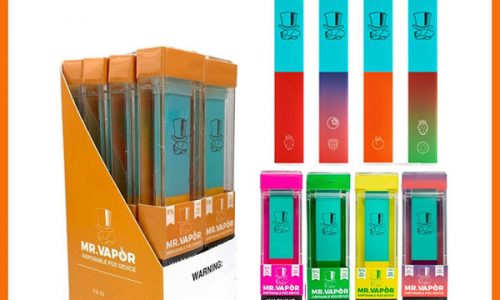
MR VAPOR Disposable Device MR Vapor Vape Pen Pods Starter 280mAh Battery 1.3ml Cartridges e cigarette Vs Puff Bar Plus XTRA Flow
$2.96We are committed to the electronic tobacco industry,we have our own factory .Everything will be shipped soon and with high quality.Welcome to place order
-
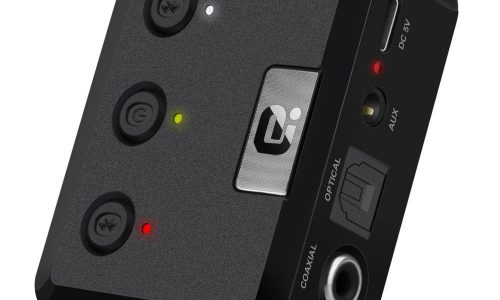
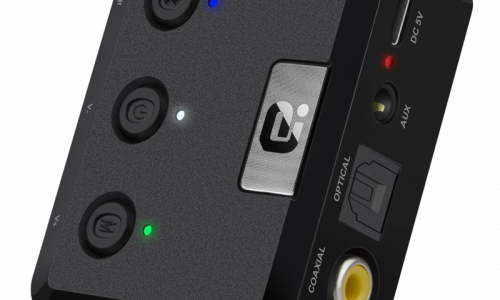
MR275 CSR8675 bluetooth 5.0 Audio Transmitter Wireless Adapter 3.5mm AUX for PC Computer TV Car Music Stereo
$37.86Operation Specifications:1. Press and hold the power button for 1S to turn on the machine. At this time, the white indicator of the device 1status and the white status indicator of the device 2 are on, and the middle power indicator is lit yellow.2. At this time, put the bluetooth device (bluetooth speaker or earphone) into the bluetooth pairing state, and thenpress the right button of MR275 right. At this time, the blue indicator of the device 2 status flashes quickly and entersthe search pairing state. After the pairing is successful, the device 2 is blue. The status indicator will be steady on.3. If you need to connect a buetooth device (bluetooth speaker or earphone), enter another bluetooth device (bluetoothspeaker or earphone) into the bluetooth pairing state, and then press the MR275 left pairing button. At this time, the device1 status blue indicator light is fast. Flash, enter the active search pairing state, after the pairing is successful, the blue statusindicator of the device 1 will be always on.4. Press and hold the right pairing button for 5 seconds to enter the bluetooth clearing list (that is, all previously connectedbluetooth device lists will be deleted).5. Automatic connection status:When the bluetooth device and the MR275 are successfully paired, when the bluetooth device is turned on again, it willautomatically connect back to the MR275;When the bluetooth device is turned on and waiting for the connection state, the MR275 is turned on at this time, and t
-
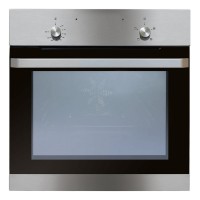
MS100SS 62L Built-In Fan Oven
$274.33